Quick verdict
Use this quick scan to align platform choice with your priorities.
Choose TwinWorks if you need:
- Interactive 3D instructions tied to CAD and shop-floor execution
- AI-driven authoring that turns spoken steps into procedures fast
- Execution capture with feedback and audit-ready traceability
Consider Tulip if you need:
- No-code style workflows for operations
- Custom data collection and dashboards
- Teams building broader shop-floor apps
What both tools do
Digital work instructions and connected worker tools help teams standardize procedures, guide frontline execution, and keep knowledge consistent across sites. They reduce errors, shorten training time, and provide visibility into how work is done.
Side-by-side comparison
| Category | TwinWorks | Tulip | Notes |
|---|---|---|---|
| Authoring speed & ease | High | Medium | TwinWorks targets fast authoring with AI; Tulip is often chosen for app-based operations workflows. |
| Instruction clarity (visual/3D) | High | Medium | TwinWorks emphasizes 3D clarity; visual depth varies by deployment focus. |
| AI assistance (creation + in-the-moment help) | High | Medium | TwinWorks combines AI for creation and in-the-moment guidance; AI emphasis varies by team needs. |
| Change management (versioning/traceability) | High | Medium | TwinWorks prioritizes versioning and traceability; governance expectations vary by rollout. |
| Execution capture (photos, deviations, analytics) | High | Medium | TwinWorks captures execution data with photos and deviations; data needs vary by process. |
| Feedback loop | High | Medium | TwinWorks supports real-time operator feedback; feedback loops vary by workflow design. |
| Training & onboarding | High | Medium | TwinWorks supports onboarding and repeatability; Tulip is often used for app-based operations workflows. |
| Integrations (general) | Medium | High | Integrations are typically evaluated case by case based on existing systems. |
| Device support (desktop/tablet/mobile/AR) | High | High | TwinWorks supports desktop, tablet, mobile, and AR; device mix varies by site. |
| Best-fit environments (assembly/maintenance/training/quality) | High | High | TwinWorks fits assembly, maintenance, training, and quality; Tulip aligns with app-based operations workflows. |
Authoring and content creation
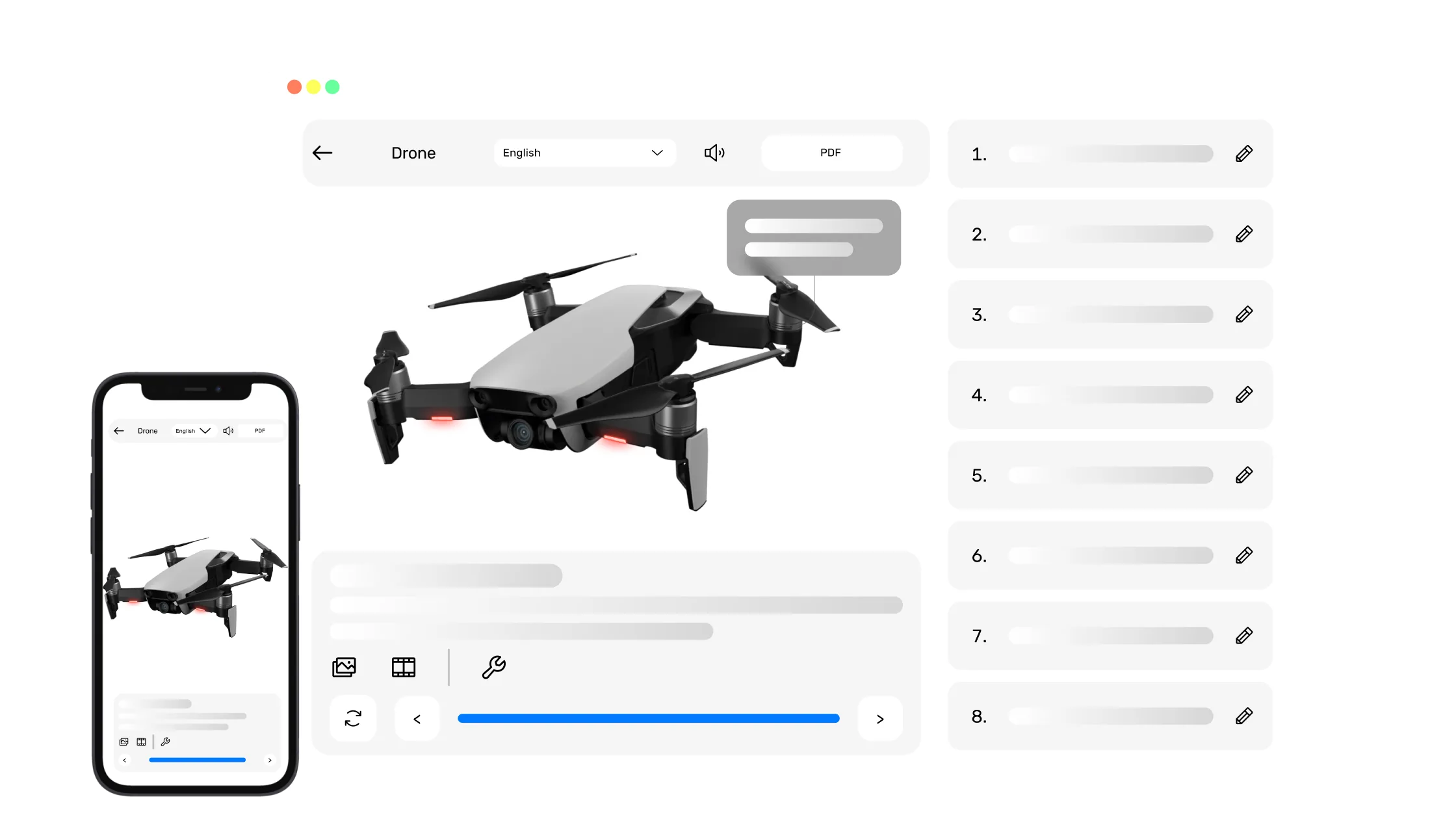
- TwinWorks converts legacy manuals, PDFs, and SOPs into interactive, 3D-enriched guides.
- AI-driven authoring lets experts "speak your steps aloud" to generate interactive instructions with animated part interactions in minutes instead of days.
- Tulip is often chosen for app-based operations workflows and may align with teams that already have structured documentation.
3D and visual guidance
- TwinWorks delivers interactive 3D work instructions, SOPs, and manuals for manufacturers.
- CAD-to-shop-floor linkage connects CAD designs to frontline execution so teams follow the latest procedure.
- Tulip is commonly used where clear visual guidance is needed, depending on site context.
AI support (creation + execution)
- TwinWorks provides AI assistance during execution to guide workers and answer questions in the moment.
- AI-driven authoring accelerates updates without rework.
- Tulip may be preferred when teams prioritize app-based operations workflows with measured AI adoption.
Quality, compliance, traceability
- Execution capture tracks interactions and records photos and deviations.
- Photo verification and audit-ready traceability support quality programs.
- Built-in feedback lets viewers leave real-time input directly in the procedure.
Rollout and scalability
- Deploy anywhere: desktop, tablet, mobile, and AR headsets.
- Multilingual enablement keeps instructions available in the worker's language.
- Tulip is often selected for app-based operations workflows with rollout effort varying by site readiness.
Typical use cases
Pros and considerations
TwinWorks pros
- Interactive 3D guidance designed for manufacturing workflows.
- AI-assisted authoring accelerates creation and updates.
- Execution capture improves visibility and continuous improvement.
- Multi-device deployment including AR support.
- Feedback loop that surfaces frontline input quickly.
- Reported up to 50% fewer errors.
- Reported +12% faster task completion.
Results vary by process and deployment.
TwinWorks considerations
- Best results when processes and source content are well defined.
- Change management helps drive consistent adoption across shifts.
- AR value depends on device readiness at each site.
Tulip pros
- Often selected for app-based manufacturing workflows.
- Commonly used where teams want flexible, configurable processes.
- Fits organizations building broader operational apps.
- Useful for integrating multiple shop-floor tasks.
Tulip considerations
- Best when teams are prepared to design and maintain custom apps.
- Specialized 3D instruction depth may require additional evaluation.
Who should choose what
Choose TwinWorks if:
- You need interactive 3D instructions tied to CAD updates.
- You want AI-driven authoring to move from steps to procedures quickly.
- Execution capture and audit-ready traceability are key.
- You support multiple sites, languages, and devices.
- Frontline feedback loops are part of continuous improvement.
Consider Tulip if:
- Your primary focus is app-based operations workflows.
- You want a solution aligned with existing documentation workflows.
- Advanced 3D is not the primary requirement.
- You need a platform to standardize work quickly across teams.
- Your rollout plan prioritizes that specific focus area first.
FAQ
Quick answers to common comparison questions.
Is TwinWorks better than Tulip?
It depends on priorities. TwinWorks is often preferred for 3D clarity, AI-driven authoring, and execution capture, while Tulip is commonly chosen for app-based operations workflows.
Which is faster to create work instructions?
TwinWorks emphasizes AI-assisted authoring for speed, while Tulip is often used for structured documentation workflows.
Do I need 3D/CAD to benefit?
3D and CAD add clarity, but you can start from existing manuals and visuals if models are not ready.
Can I capture execution evidence for quality audits?
TwinWorks captures execution data with photos and deviations. For Tulip, validate evidence capture against your audit requirements.
Can workers use this on mobile and AR?
TwinWorks supports desktop, tablet, mobile, and AR workflows. Device coverage for Tulip should be confirmed for your sites.
How should I evaluate ROI?
Measure error reduction, time-to-competency, and rework avoidance on a pilot process, then compare results across platforms.
TwinWorks
Ready to modernize your work instructions?
See how TwinWorks connects 3D, AI, and execution capture to reduce errors and accelerate training.