Quick verdict
Use this quick scan to align platform choice with your priorities.
Choose StepWorks if you need:
- Interactive 3D instructions tied to CAD and shop-floor execution
- AI-driven authoring that turns spoken steps into procedures fast
- Execution capture with feedback and audit-ready traceability
Consider VKS if you need:
- Straightforward SOP digitization
- Operator guidance without heavy systems
- Fast rollout for basic instructions
What both tools do
Digital work instructions and connected worker tools help teams standardize procedures, guide frontline execution, and keep knowledge consistent across sites. They reduce errors, shorten training time, and provide visibility into how work is done.
Side-by-side comparison
| Category | StepWorks | VKS | Notes |
|---|---|---|---|
| Authoring speed & ease | High | Medium | StepWorks targets fast authoring with AI; VKS is often chosen for SOP digitization. |
| Instruction clarity (visual/3D) | High | Low | StepWorks emphasizes 3D clarity; visual depth varies by deployment focus. |
| AI assistance (creation + in-the-moment help) | High | Low | StepWorks combines AI for creation and in-the-moment guidance; AI emphasis varies by team needs. |
| Change management (versioning/traceability) | High | Medium | StepWorks prioritizes versioning and traceability; governance expectations vary by rollout. |
| Execution capture (photos, deviations, analytics) | High | Medium | StepWorks captures execution data with photos and deviations; data needs vary by process. |
| Feedback loop | High | Medium | StepWorks supports real-time operator feedback; feedback loops vary by workflow design. |
| Training & onboarding | High | Medium | StepWorks supports onboarding and repeatability; VKS is often used for SOP digitization. |
| Integrations (general) | Medium | Medium | Integrations are typically evaluated case by case based on existing systems. |
| Device support (desktop/tablet/mobile/AR) | High | Medium | StepWorks supports desktop, tablet, mobile, and AR; device mix varies by site. |
| Best-fit environments (assembly/maintenance/training/quality) | High | Medium | StepWorks fits assembly, maintenance, training, and quality; VKS aligns with SOP digitization. |
Authoring and content creation
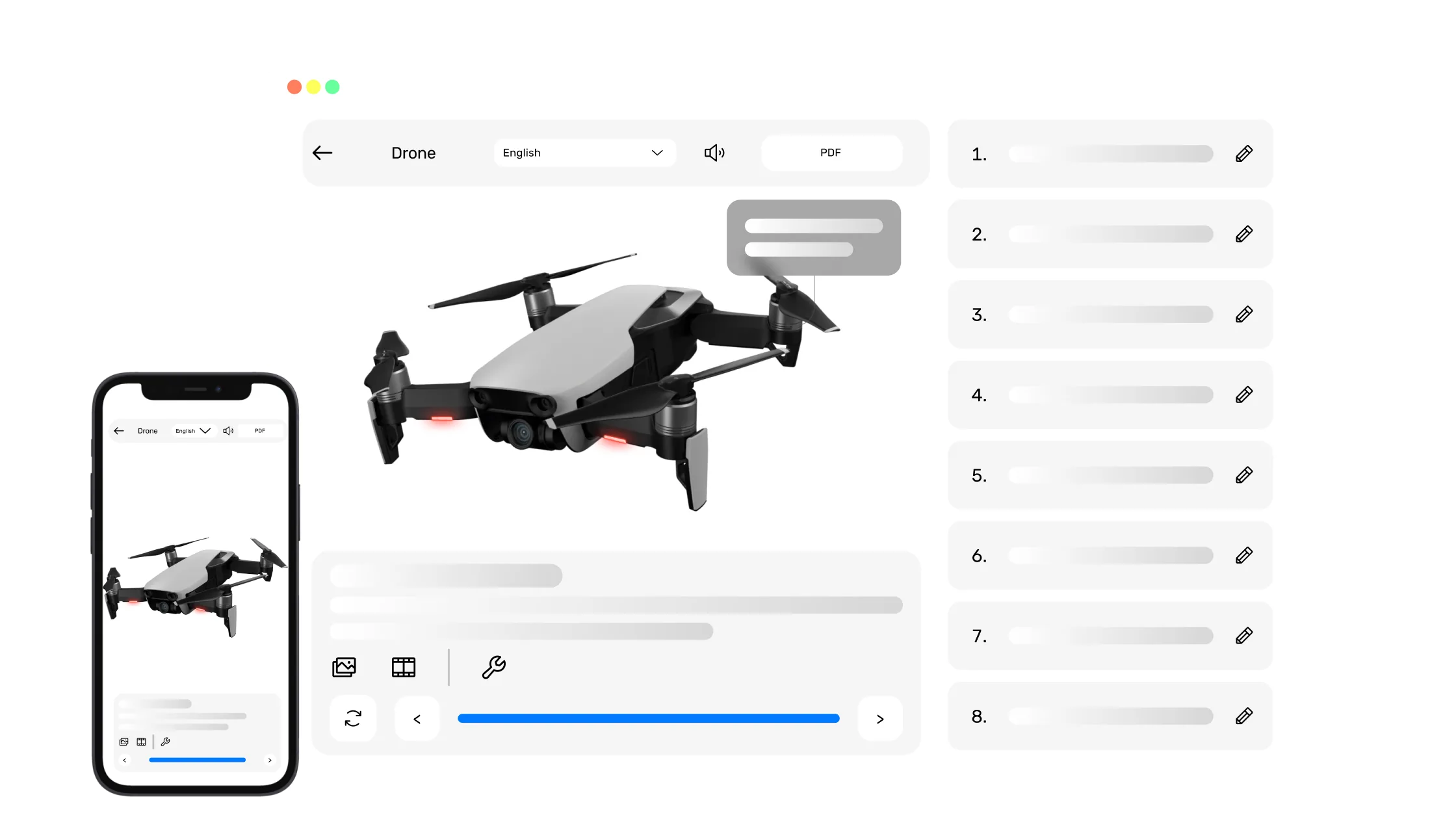
- StepWorks converts legacy manuals, PDFs, and SOPs into interactive, 3D-enriched guides.
- AI-driven authoring lets experts "speak your steps aloud" to generate interactive instructions with animated part interactions in minutes instead of days.
- VKS is often chosen for SOP digitization and may align with teams that already have structured documentation.
3D and visual guidance
- StepWorks delivers interactive 3D work instructions, SOPs, and manuals for manufacturers.
- CAD-to-shop-floor linkage connects CAD designs to frontline execution so teams follow the latest procedure.
- VKS is commonly used where clear visual guidance is needed, depending on site context.
AI support (creation + execution)
- StepWorks provides AI assistance during execution to guide workers and answer questions in the moment.
- AI-driven authoring accelerates updates without rework.
- VKS may be preferred when teams prioritize SOP digitization with measured AI adoption.
Quality, compliance, traceability
- Execution capture tracks interactions and records photos and deviations.
- Photo verification and audit-ready traceability support quality programs.
- Built-in feedback lets viewers leave real-time input directly in the procedure.
Rollout and scalability
- Deploy anywhere: desktop, tablet, mobile, and AR headsets.
- Multilingual enablement keeps instructions available in the worker's language.
- VKS is often selected for SOP digitization with rollout effort varying by site readiness.
Typical use cases
Pros and considerations
StepWorks pros
- Interactive 3D guidance designed for manufacturing workflows.
- AI-assisted authoring accelerates creation and updates.
- Execution capture improves visibility and continuous improvement.
- Multi-device deployment including AR support.
- Feedback loop that surfaces frontline input quickly.
- Reported up to 50% fewer errors.
- Reported +12% faster task completion.
Results vary by process and deployment.
StepWorks considerations
- Best results when processes and source content are well defined.
- Change management helps drive consistent adoption across shifts.
- AR value depends on device readiness at each site.
VKS pros
- Often selected for basic SOP digitization.
- Commonly used to standardize operator steps quickly.
- Fits teams starting with lightweight work instructions.
- Useful for simple, repeatable processes.
VKS considerations
- Best when requirements are straightforward and stable.
- Advanced 3D and AI workflows may require additional tools.
Who should choose what
Choose StepWorks if:
- You need interactive 3D instructions tied to CAD updates.
- You want AI-driven authoring to move from steps to procedures quickly.
- Execution capture and audit-ready traceability are key.
- You support multiple sites, languages, and devices.
- Frontline feedback loops are part of continuous improvement.
Consider VKS if:
- Your primary focus is SOP digitization.
- You want a solution aligned with existing documentation workflows.
- Advanced 3D is not the primary requirement.
- You need a platform to standardize work quickly across teams.
- Your rollout plan prioritizes that specific focus area first.
FAQ
Quick answers to common comparison questions.
Is StepWorks better than VKS?
It depends on priorities. StepWorks is often preferred for 3D clarity, AI-driven authoring, and execution capture, while VKS is commonly chosen for SOP digitization.
Which is faster to create work instructions?
StepWorks emphasizes AI-assisted authoring for speed, while VKS is often used for structured documentation workflows.
Do I need 3D/CAD to benefit?
3D and CAD add clarity, but you can start from existing manuals and visuals if models are not ready.
Can I capture execution evidence for quality audits?
StepWorks captures execution data with photos and deviations. For VKS, validate evidence capture against your audit requirements.
Can workers use this on mobile and AR?
StepWorks supports desktop, tablet, mobile, and AR workflows. Device coverage for VKS should be confirmed for your sites.
How should I evaluate ROI?
Measure error reduction, time-to-competency, and rework avoidance on a pilot process, then compare results across platforms.
StepWorks
Ready to modernize your work instructions?
See how StepWorks connects 3D, AI, and execution capture to reduce errors and accelerate training.