Digital work instructions are now a core system of record for modern manufacturing. The right platform can reduce errors, speed up onboarding, and keep procedures synchronized with engineering changes. This 2026 landscape groups eighteen platforms by product approach so tools designed for different jobs are not forced into a universal ranking.
Evaluating SOP software for high-mix manufacturing? TwinWorks combines 3D guidance, fast authoring, and execution capture to keep procedures current.
What are digital work instructions?
Digital work instructions are interactive, step-by-step procedures that guide frontline teams through assembly, maintenance, and quality tasks with visuals, checks, and live updates. They replace static PDFs and paper SOPs with connected guidance that is easy to update and verify.
Manufacturers, contract manufacturers, and field service teams benefit most when work is complex, high-mix, or regulated and when consistency matters across shifts and sites.
Evaluation criteria for 2026
- Authoring speed: How quickly experts can create procedures without heavy rework.
- 3D and visual clarity: Support for rich visuals that prevent ambiguity on the floor.
- AI assistance: Practical help in authoring and execution, not just marketing claims.
- CAD linkage: Ability to connect engineering data to frontline execution.
- Execution capture: Evidence capture for traceability, audits, and continuous improvement.
- Feedback loop: Simple ways for operators to report issues and improvements.
- Device coverage: Reliable use on desktop, tablet, mobile, and AR where needed.
- Version control: Clear governance for approvals, revisions, and change tracking.
- Analytics: Insight into bottlenecks, compliance, and training effectiveness.
- Deployment fit: Integration with existing systems and realistic rollout complexity.
Eight direct comparisons we maintain
These are the closest overlaps in digital work instructions and connected-worker evaluations. Each page is maintained as a decision guide; the broader market is covered once in the category map below.
Platform landscape by category
These sections organize the shortlist by buying lens; they are not a score or ranking. Some products span more than one category, so validate the capabilities that matter most with a real production workflow during your evaluation.
CAD-native
Best suited to teams that want engineering geometry to remain central to how instructions are authored and consumed.
TwinWorks
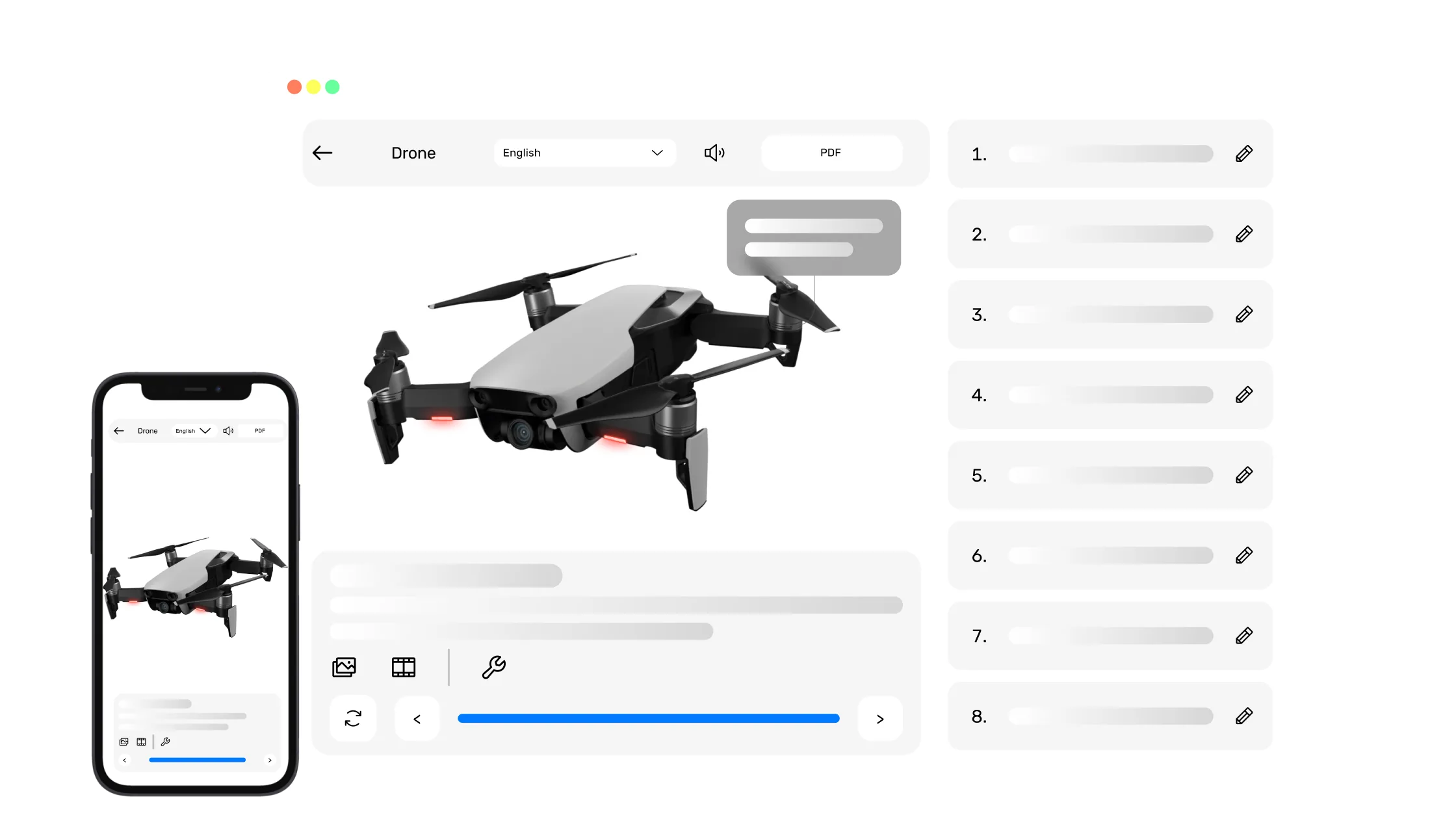
Best for manufacturers prioritizing AI-assisted authoring and interactive 3D execution.
- Interactive 3D work instructions, SOPs, and manuals for manufacturers.
- Converts legacy manuals, PDFs, and SOPs into interactive, 3D-enriched guides.
- Connects CAD-based guidance with execution capture, photos, deviations, and operator feedback.
- Supports desktop, tablet, mobile, AR, multilingual delivery, and in-context AI assistance.
Consider if 3D and CAD linkage are central. A broader connected-worker suite or no-code platform may fit better when skills management, workforce communication, or custom operations apps are the priority.
Cortona3D RapidAuthor
Established 3D technical-publication authoring for teams with complex service, parts, and illustration workflows.
Canvas Envision
CAD-led visual documentation for creating illustrations, animations, and interactive product communication.
SOLIDWORKS Composer
A natural evaluation path for SOLIDWORKS-centric teams producing assembly visuals and technical communication assets.
Connected worker
Designed to connect frontline guidance with training, feedback, compliance, analytics, and operational visibility.
Poka
Best for teams focused on standardized digital training and knowledge capture.
- Strong structure for training content and skill development.
- Emphasis on consistency across shifts and locations.
- Useful analytics for training and knowledge tracking.
Consider if training standardization is the primary goal for rollout.
Augmentir
Best for connected worker programs with AI-assisted guidance.
- Focus on AI-informed work guidance and recommendations.
- Good fit for continuous improvement initiatives.
- Supports execution insights for operations teams.
Consider if AI-driven worker assistance is a key differentiator for you.
SwipeGuide
Best for mobile-first guidance and fast frontline adoption.
- Mobile-friendly workflows for on-the-floor usage.
- Clear step-by-step guidance with consistent formatting.
- Simple feedback collection for improvements.
Consider if mobile access is the primary execution environment.
Parsable
Best for teams prioritizing standard work and compliance consistency.
- Structured workflows for standard work adherence.
- Clear checkpoints for quality and compliance tasks.
- Fits well for regulated processes.
Consider if compliance tracking is the dominant use case.
Azumuta
Best for visual work instructions and shop-floor guidance.
- Clear visual workflows for frontline teams.
- Supports consistent documentation and execution.
- Useful for multi-step assembly and maintenance tasks.
Consider if you want visual guidance without heavy system complexity.
VKS
Best for straightforward SOP digitization and operator guidance.
- Simple formatting for step-by-step procedures.
- Accessible for teams beginning digitization.
- Emphasis on clarity and repeatability.
Consider if you want a quick path from paper SOPs to digital.
SymphonyAI Proceedix (Connected Worker)
Best for enterprises connecting instructions with broader operational systems.
- Broad connected-worker positioning for large deployments.
- Focus on operational visibility and execution tracking.
- Aligned with enterprise-scale workflows.
Consider if you need enterprise alignment and cross-site standardization.
CCMS/XML
This buying lens prioritizes governed, reusable content and multi-channel publishing. Dozuki is included as a documentation-first adjacent option, not as a traditional XML/DITA CCMS; strict XML requirements should be verified directly.
Dozuki
Best for teams that need clear, fast documentation and lightweight deployment.
- Structured documentation workflows for SOP creation.
- Accessible for teams getting started with digitized processes.
- Supports consistent step-by-step formatting.
Consider if you want a straightforward documentation-first platform.
PTC Arbortext
Enterprise structured authoring and publishing for complex, governed product and service information.
Paligo
Cloud CCMS workflows for reusable content, localization, governance, and multi-channel publishing.
Heretto
DITA-based component content management for teams that need structured reuse and collaborative publishing.
Fluid Topics
Content delivery and knowledge experiences that unify technical information from multiple source systems.
MadCap Flare
Desktop-centered technical authoring and multi-channel publishing, adjacent to rather than identical with a cloud CCMS.
No-code apps
Best suited to operations teams that want to build custom frontline workflows, with instructions as one app-based use case.
Tulip
Best for operations teams building connected apps alongside instructions.
- Flexible app-building approach for shop-floor workflows.
- Strong ecosystem for integrations and custom workflows.
- Useful for broader digital operations use cases.
Consider if you want work instructions as part of a larger app platform.
Detailed matrix for the frontline shortlist
This matrix stays focused on products commonly evaluated for frontline guidance and execution. The broader CAD-authoring and CCMS/XML tools in the landscape above are not scored against criteria designed for a different category.
| Software | Category | Best for | Authoring | Visual/3D | AI assist | Execution capture | Device support | Notes |
|---|---|---|---|---|---|---|---|---|
| Augmentir | Connected worker | AI-guided execution | Medium | Medium | High | Medium | Medium | Connected worker focus with AI guidance |
| Azumuta | Connected worker | Visual shop-floor instructions | Medium | Medium | Low | Medium | Medium | Practical visual guidance for teams |
| Dozuki | CCMS/XML-adjacent | Fast SOP documentation | High | Low | Low | Medium | Medium | Documentation-first; verify strict XML/DITA needs |
| Parsable | Connected worker | Compliance-driven standard work | Medium | Low | Low | High | Medium | Good for audit readiness and consistency |
| Poka | Connected worker | Training standardization | High | Medium | Medium | Medium | Medium | Solid training focus with structured content |
| SwipeGuide | Connected worker | Mobile-first guidance | Medium | Low | Low | Medium | High | Strong mobile usability and quick adoption |
| SymphonyAI Proceedix | Connected worker | Enterprise connected worker programs | Medium | Medium | Medium | High | High | Enterprise focus with execution visibility |
| Tulip | No-code apps | App-based operations | Medium | Medium | Medium | Medium | High | Flexible app platform for shop-floor workflows |
| TwinWorks | CAD-native | Manufacturers seeking AI + 3D execution | High | High | High | High | High | Strong 3D, AI-driven authoring, and traceability |
| VKS | Connected worker | SOP digitization | Medium | Low | Low | Medium | Medium | Simple path from paper to digital |
How to choose the right platform
- Start with the highest-risk or highest-volume process to prove impact.
- Verify that authoring can be done by your actual subject-matter experts.
- Confirm device fit for where work happens: desk, line, field, or AR.
- Look for execution capture that supports audits and continuous improvement.
- Ensure change control keeps procedures aligned with engineering updates.
- Test multilingual capability with your frontline teams early.
- Prioritize solutions that scale across multiple sites with minimal friction.
FAQ
Quick answers to common questions about digital work instructions.
What is digital work instructions software?
Digital work instructions software delivers interactive, step-by-step procedures that guide workers through tasks with visuals, checklists, and real-time updates.
What is the difference between SOPs and digital work instructions?
SOPs define the standard process, while digital work instructions operationalize that process with step-by-step, on-the-floor guidance.
How does AI help create and run instructions?
AI can speed up authoring by structuring steps from expert input and can assist workers during execution by surfacing relevant guidance in context.
Do I need CAD or 3D models?
3D models unlock richer visual guidance, but many platforms also support photo- or document-based procedures when models are not available.
Can it support quality and compliance evidence?
Yes. Many platforms capture execution data, timestamps, photos, and verification steps to support audits and quality programs.
Can instructions be used on mobile and AR?
Most modern platforms support mobile and tablet use, with some also enabling AR experiences for hands-free or spatial guidance.
Ready to modernize your work instructions?
See how TwinWorks connects 3D, AI, and execution capture to reduce errors and accelerate training.