Start from the manual
Upload PDF reference material. AI identifies grounded steps and gaps, then prepares an editable draft for review.
3D work-instruction authoring
TwinWorks gives authors a product twin for sequencing part states, highlights, annotations, and camera views. AI can separately prepare a review-ready procedure draft from uploaded PDF manuals. The current workflow does not automatically generate steps from CAD.
Bring one PDF manual, one supported 3D model, and a procedure your team knows. We will test the real authoring workflow together.
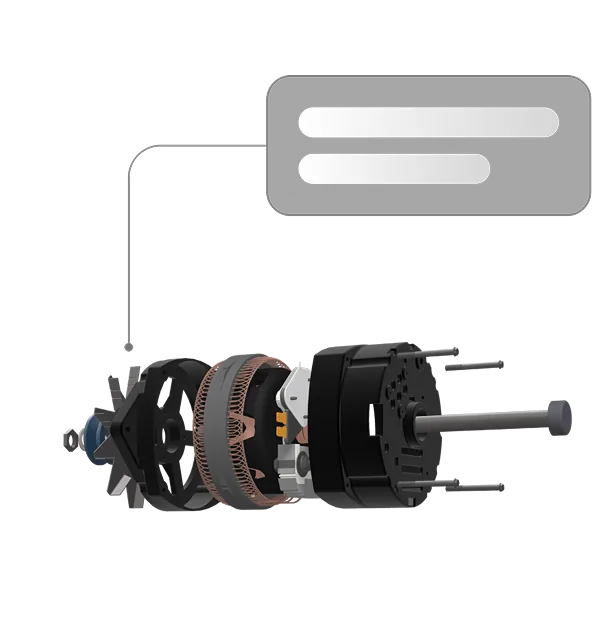
One authoring environment
A 3D model can show geometry, hierarchy, and motion. A manual contains the documented intent, warnings, tools, and task sequence. TwinWorks keeps those inputs distinct while giving authors one place to build an interactive instruction.
Upload PDF reference material. AI identifies grounded steps and gaps, then prepares an editable draft for review.
Import a supported 3D model and use its parts to create visual states, highlights, annotations, and camera views.
An author connects the technical instruction to the right visual action. Your team reviews the result before release.
Supported 3D inputs
Use these verified inputs to scope a pilot. For any format outside this list, validate the source before planning the workflow.
| Input | Current status | Use in the workflow |
|---|---|---|
| OBJ and FBX | Supported | Import 3D geometry for visual procedure authoring. |
| GLB | Supported | Import a self-contained binary 3D asset. |
| GLTF | Supported when self-contained | Import a self-contained file, or use a ZIP package when companion files are required. |
| USDZ | Supported | Import a packaged 3D asset for visual authoring. |
| STEP and STP | Beta | Convert and import a part or product structure for evaluation. |
| ZIP package | Supported for defined cases | Use for STEP assemblies or GLTF companion files. |
A deliberate workflow
The automation prepares useful starting material. The author remains responsible for joining the documented task to the correct product behavior.
From assembly hierarchy to evidence
The imported model structure gives an author an assembly hierarchy to navigate. Once the procedure has been reviewed, teams can publish the interactive guidance for operators and capture execution evidence for quality review.
The current boundary
TwinWorks does not currently auto-generate work-instruction steps from CAD. The AI drafting workflow is grounded in uploaded PDF manuals; the 3D workflow gives authors the visual building blocks for an interactive procedure.
A useful first evaluation
A focused working session makes the boundary and the value visible. Choose a known task rather than a showcase model, then compare the result with the way your team authors today.
One PDF manual, one supported 3D model, and a short task with a known correct sequence.
Prepare the draft, import the model, and author the visual states needed for the task.
Compare authoring effort, visual clarity, missing source information, and expert review time.
Continue the evaluation
It means importing a supported 3D model into a product twin, then using the model to author interactive visual procedure steps. The current workflow does not automatically generate steps from CAD.
TwinWorks supports OBJ, FBX, GLB, self-contained GLTF, and USDZ. STEP and STP import is in beta. ZIP packages are supported for STEP assemblies and GLTF companion files.
AI prepares a review-ready procedure draft grounded in uploaded PDF manuals. An author can then connect that draft to imported 3D content, add visual actions and views, and prepare the instruction for expert review.
No. AI suggestions remain editable, and your team remains responsible for technical review and release.
Bring one PDF manual and one supported 3D model. We will build a focused example, show the current product boundary, and define a credible next step.